V-Blink delivers 19+ fish arcade games, 68+ slot titles, and a built-in leaderboard, all accessible on Android through a direct APK install. The VBlink download for Android through BitBetWin is the verified route: a confirmed source, the current version, and compatibility with most Android devices. This guide covers compatibility checks, security verification, downloading, installing, troubleshooting, and update management.
Download V-Blink for Android

The VBlink APK is available through BitBetWin and the official V-Blink portal at VBlink777.club. These are the verified sources for the download VBlink for Android file; third-party APK mirrors cannot confirm file authenticity or version currency. V-Blink is not available on the Google Play Store due to casino app policies, so the direct APK route is the standard access method for Android players.
What You're Downloading
The 2026 V-Blink APK is compatible with Android 7.0 and higher and is approximately 50–80 MB. Confirm the exact file size on the BitBetWin download page before initiating the download; a significant discrepancy after downloading suggests a modified or incomplete file. The version number is visible under Settings → Apps → V-Blink after installation.
Why Download Through BitBetWin?
BitBetWin distributes V-Blink as an authorized partner; the same V-Blink platform is managed through BitBetWin's verified distribution channel. Every release is confirmed against the official build before being made available to players: no third-party modifications, no version substitution. If you're setting up access to other platforms too, the BitBetWin app for Android covers the broader BitBetWin mobile experience beyond V-Blink specifically.
Check Your Android Device Before Downloading
Confirming device compatibility before the VBlink Android install saves time and prevents the most common failed-install scenarios. Run through the checklist below before proceeding to the download.
Minimum Requirements: 4-Point Checklist
- Android 7.0 (Nougat) or later, check under Settings → About Phone → Android Version.
- Minimum 2GB RAM, 3GB+ recommended for fish table sessions like Great Blue and Dolphin Reef
- At least 150MB free internal storage, 400MB recommended once app data loads
- Active internet connection, Wi-Fi recommended for the initial download and first-launch asset load.
Recommended Setup for Best Performance
Android 10+ with 4GB RAM delivers the smoothest experience across V-Blink's full 90+ title catalog. Confirmed compatible: Samsung Galaxy S10 and above (Android 10–15), Google Pixel 5+, OnePlus 8 and above. Tablets running Android 7.0+ are fully supported; installation is identical to smartphones.
Device Doesn't Qualify?
If the device falls below the minimum specifications, you can use your desktop device to download the app and access it.
V-Blink APK Security — What BitBetWin Players Should Know
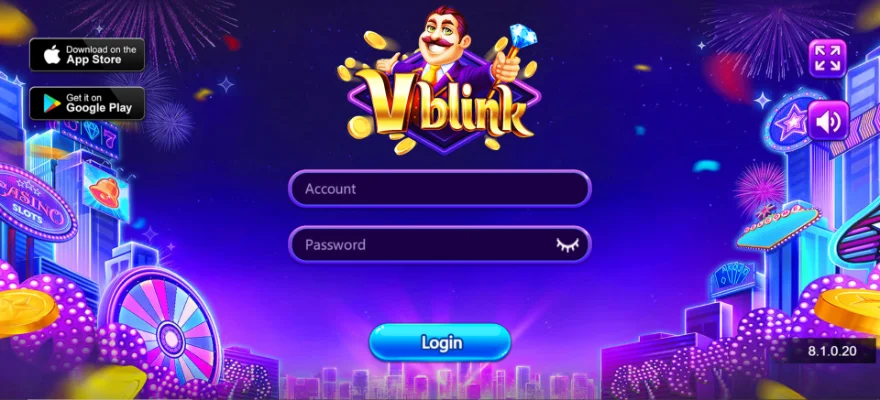
Understanding the security landscape for any VBlink APK download helps players make an informed decision. The V Blink APK download through BitBetWin eliminates the main risks; here are what those risks are and how BitBetWin addresses them.
Why V-Blink Isn't on Google Play
Google's Play Store policies restrict apps that include prize-redemption mechanics, a category that covers V-Blink, regardless of its legal status in most US states. This applies across the social casino gaming category and does not reflect V-Blink's legitimacy. Direct APK distribution is the standard method for this app type.
Official Source vs. Third-Party APK Mirrors
Third-party APK sites frequently host modified APKs that contain adware or credential-harvesting scripts, or outdated versions that lack current security patches. The VBlink 777 APK on BitBetWin is sourced directly from the platform developer: no modifications, no version substitution. Every release is confirmed against the official build before publishing.
Permissions V-Blink Requests and Why
V-Blink requests three standard permissions: storage access (to save game assets and local session data), network access (to connect to game servers for live sessions), and notification permission (for Daily Wheel Rewards and weekly bonus alerts). No access to contacts, camera, microphone, or call functions is requested. If these appear during installation, verify the source file before proceeding.
Pre-Download and Post-Install Security Checklist
- Confirm the download URL is bitbetwin.cc/v-blink or VBlink777.club, not a look-alike domain.
- Check the file size after download matches the figure on the BitBetWin page.
- Run a Google Play Protect scan after installation: Google Play → Play Protect → Scan
- Re-disable 'Install from Unknown Sources' for your browser after installation is complete.
For more on how BitBetWin operates and its player protection standards, visit responsible gaming at BitBetWin.
Step-by-Step V-Blink Install Guide for Android
These six steps complete the VBlink Android install from a downloaded APK file to first launch. The VBlink download for Android file will be in the Downloads folder once the browser notification confirms the download is complete. The full V Blink download for Android and install process takes under eight minutes on most devices.
Before You Start: Requirements Snapshot
- Storage confirmed: 150MB+ free (full compatibility check in the section above)
- Unknown Sources enabled for the browser used for the download (see next section if not yet done)
- Wi-Fi connection active for the download and first-launch asset load
Install V-Blink
- Find and open the file manager, then navigate to the Downloads folder, or tap the completed browser notification directly.
- Download, confirm the APK file is present, and the file size matches the BitBetWin download page listing.
- Locate and tap the V-Blink APK file to open the Android package installer prompt.
- Tap, review the permissions displayed (storage, internet, notifications), and tap Install.
- Allow, wait 30–60 seconds for installation to complete; the confirmation screen appears when done.
- Launch, tap Open on the confirmation screen or find the V-Blink icon in the app drawer.
Note: Your BitBetWin account balance and game progress are stored server-side; reinstalling the app will not affect your account.
First Launch and BitBetWin Account Setup
V-Blink prompts you to log in or register an account on first launch. Log in with your BitBetWin credentials to access the full catalog immediately. Great Blue, Dollar Eagle, Iceland, Boy King Treasure, and 85+ additional titles are available after login. Account balance and Leaderboard standings carry over from any other device.
New players can sign up at BitBetWin to access V Blink before installing, so login is immediate on first launch.
Enabling 'Install from Unknown Sources' on Android
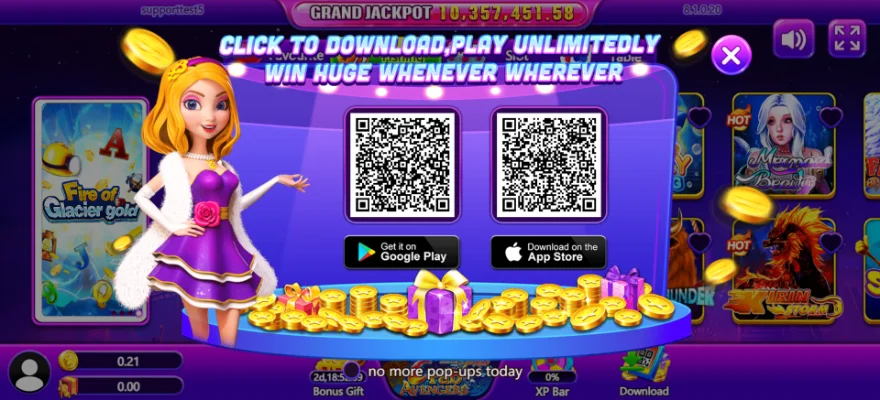
This is a standard one-time step that allows APK installation from sources outside Google Play. Once configured, it applies to all APK installs through the selected browser or file manager.
Android 9.0 and Newer: How to Enable
Go to Settings → Apps & Notifications → Special App Access → Install Unknown Apps. Select the browser or file manager you used to download the V-Blink APK. Toggle Allow from this source on. Return to the APK file and tap Install. This covers all devices running Android 9.0 through 15 in a single path; you can turn off this setting immediately after installation.
Android 8.0 and Older: System-Wide Toggle
Go to Settings → Security → Unknown Sources and toggle it on. Confirm the prompt that appears. Proceed to the downloaded APK and tap Install. You can turn off this setting immediately after installation is complete; return to Settings → Security → Unknown Sources and toggle it back off.
Common V-Blink Install Errors & How to Fix Them
Most VBlink Android install failures resolve with one of the fixes below. Match the error message or behavior to the correct section.
Google Play Protect Is Blocking the Install
Play Protect flags all sideloaded APKs by default regardless of source; this is automatic behavior, not a specific warning about V-Blink. To proceed:
- Tap 'More Details' on the Play Protect warning screen.
- Tap 'Install Anyway' to continue.
- Run a manual Play Protect scan after installation: Google Play → Play Protect → Scan
'App Not Installed' or 'Parse Error'
- Free at least 300MB of storage, Settings → Storage → clear cached data from other apps
- Delete the downloaded APK and re-download in full from BitBetWin; partial downloads cause both errors.
- Uninstall any existing V-Blink version before retrying; version conflicts trigger 'App Not Installed'
App Installs But Won't Launch or Crashes
- Clear app cache: Settings → Apps → V-Blink → Storage → Clear Cache
- Close all background apps and retry; devices under 2GB RAM frequently hit memory limits during V-Blink launch.
- Uninstall completely, restart the device, and reinstall the current APK from BitBetWin.
Account Won't Connect After Install
- Confirm a stable internet connection; V-Blink requires network access for all login and gameplay functions.
- Use the BitBetWin account recovery flow if credentials are not recognized after reinstallation.
- Uninstall, re-download the latest APK from BitBetWin, and reinstall; account data is preserved server-side.
Still stuck? The BitBetWin support team can assist with device-specific installation issues.
Updating V-Blink and What to Do After Installing
Because V-Blink is sideloaded, VBlink 777 APK updates do not arrive automatically; staying current with the latest VBlink download for Android release requires a manual check. Running an outdated VBlink APK means missing security patches and new additions to the 90+ title catalog.
Why V-Blink Doesn't Auto-Update and How to Stay Current
APKs installed outside Google Play have no access to the Play Store's update mechanism. Check the version number monthly under Settings → Apps → V-Blink → App Info and compare it against the current version listed on the BitBetWin download page. If newer, download the updated APK using the same process as the original install.
Update Without Losing Your Data
Install the newer APK directly over the existing version; Android treats this as an upgrade and preserves account data, balance, and Leaderboard standings in most cases. If the overinstall fails, uninstall the old version first, then reinstall a fresh one. Your BitBetWin account is stored server-side and survives a clean reinstall; only your credentials are required for account recovery.
Start Playing: What to Explore First on BitBetWin
After installation, V-Blink's fish arcade category, featuring Great Blue, Dolphin Reef, and Dollar Eagle, is the fastest way for new players to enter. The built-in Leaderboard tracks session scores across the player base. Daily VBlink bonus wheel and weekly bonus gifts are available immediately after login.
Responsible Gaming
Social casino gaming is intended for entertainment purposes only. All participation involves financial risk, and outcomes are never guaranteed. Only play within your personal financial limits. If gaming activity begins to affect your finances, mental health, or daily routine, seek support from a qualified counseling service. This content is not legal advice.
The following questions address the most common searches related to VBlink download for Android.
Frequently Asked Questions
What is V-Blink 777 and why do I need to download an APK instead of using Google Play?
The V Blink casino platform is a gaming platform with fish arcade and slot-style games. It is absent from the Play Store because Google restricts prize redemption apps, which is standard across this category and not a legitimacy concern. BitBetWin distributes the official, unmodified APK as an authorized partner.
What permissions does V-Blink request, and are any concerning?
V-Blink requests storage access, network connectivity, and notifications, standard for mobile gaming. No camera, microphone, contacts, or call access is required. Tap 'View Details' during installation to review the full list. Contact BitBetWin support if any unexpected permissions appear.
Google Play Protect flagged the V-Blink APK; does this mean it's unsafe?
No, Play Protect flags all sideloaded APKs automatically regardless of source or legitimacy. Tap 'Install Anyway' if the file was downloaded from BitBetWin. Run a manual Play Protect scan after installation for additional confirmation.
My device doesn't meet the minimum specs, can I still access V-Blink through BitBetWin?
Yes, access V-Blink through the BitBetWin mobile website in your browser without installing the APK. Core gameplay is supported. You can also install on a secondary device and log in with the same BitBetWin account; balance and history are tied to the account, not the device.
Will uninstalling or reinstalling the V-Blink APK affect my BitBetWin account?
No, account data, balance, and game history are stored server-side. Reinstalling or switching devices does not affect your account. Log back in with BitBetWin credentials after any reinstall to restore full access.
How do I verify that the V-Blink APK from BitBetWin is official and unmodified?
Three checks: (1) file size matches the BitBetWin download page; (2) developer name during installation matches what BitBetWin shows; (3) permissions match those described in this guide. If any discrepancy appears, delete the file and re-download from BitBetWin.
After a major Android OS update, V-Blink stopped working. What should I do?
Uninstall the current APK, download the latest version from BitBetWin's V-Blink page, and reinstall. The latest APK is updated for current Android compatibility. Your BitBetWin account is preserved. Contact BitBetWin support with your device model and Android version if issues persist.
Is there a dedicated BitBetWin app, or do I need to install each platform separately?
Each gaming platform on BitBetWin, including V-Blink, has its own APK available for download. If the web version is unavailable, yes, you need to download each platform's app separately, as they are independent.